







How to Write Powerful Calls-to-Action (CTAs) for Fast Results


Have you ever struggled writing powerful calls-to-actions (CTAs) that help you delight target audiences? You need to understand their intent and also write in a compelling language that resonates with them. On top of these, you need to make sure the copies don’t drag.
Let’s learn how to write powerful Calls-to Action for faster, better results
To generate powerful CTAs that drive user actions:
➡️ Understand user intent and funnel
➡️ Follow channel trends
➡️ Include direct benefit
➡️ Write in compelling but concise language
➡️ Place the text or button correctly throughout the content
➡️ Do A/B testing
Following these strategies will help your posts perform in the long run. Also, use effective call to action text generators for faster and better results
What are Calls-to-Action?
Any action-provoking text or signal that asks or requests the user to take an action is a CTA. How effectively and appropriately you craft such texts helps determine user action. And eventually conversion.
Powerful call-to-actions include one or two lines that set up the premise for the final action verb to come in. Here, is an example:

In this section by Google Analytics, the main CTA, “Choose Your Path”, follows a solid and compelling message for the user to take the action.
Another popular and effective CTA example is from Amazon music, where the benefits are mentioned directly on the CTA banner.

How to Create Effective CTAs
To create effective CTAs, you need to follow certain tips and techniques for the best outcomes. These are implemented by top marketers and brands who are driving huge traffic globally.
1. Understand user intent
Only the right audiences will read or go over your content. And that is determined through how well you understand their intent and pain points. A management professional looking to gain more insights on marketing strategies is unlikely to “purchase” a product or service without “subscribing” to a channel or content.
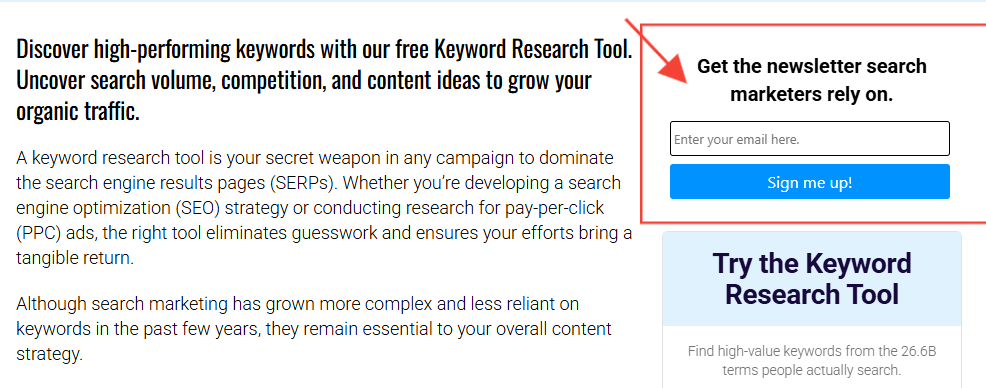
The above is a good example where the brand is encouraging the user to sign up for a newsletter before purchasing a keyword tool.
2. Create Platform-specific CTAs
Where you add the CTA is also something you should consider. Audiences behave differently across platforms. Plus, their interest and intent both differ across channels.
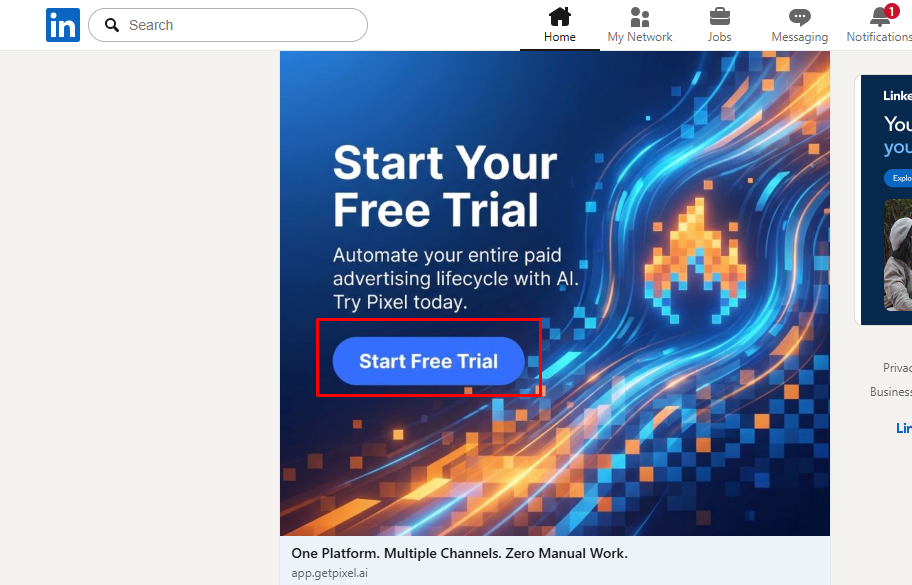
On LinkedIn, where professionals usually collaborate and network, your CTA must be more about subscribing, starting trials, downloading ebooks, reading documents, etc
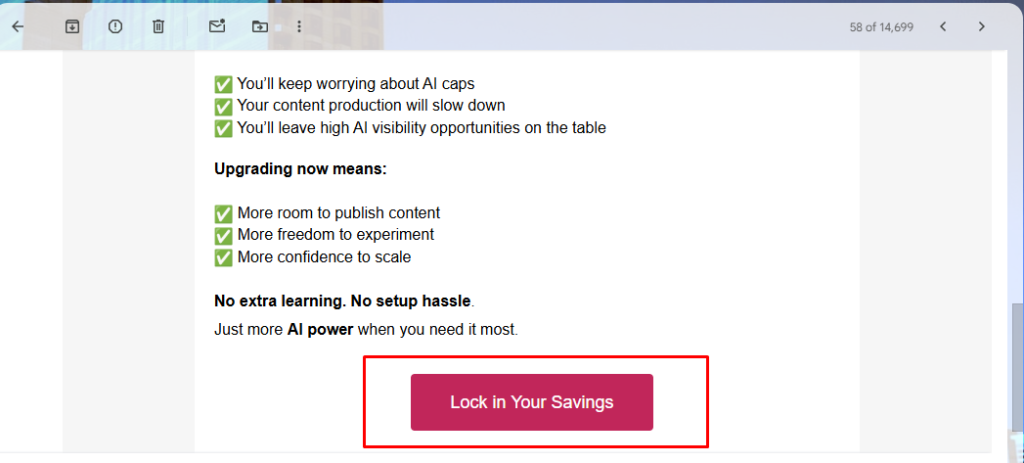
But when writing CTAs for emails, you need to focus more on direct lead collection or even conversion. Like “Confirm your spot”, “Claim your offer”, “Book an Appointment”, etc. The same applies to webpage content.
Also, when writing for more typical social media platforms like Facebook or Instagram, follow the Social Media Copywriting Best Practices.
3. Make the benefit obvious
Avoid writing “Sign Up Now” or “Get the Offer”. Instead of these, try including the benefit or name of the product/tool/offering. Something like: “Get 50% Off Today”. This text mentions the benefit directly, rather than just indicating the presence of an offer. A good example is shown in the following image from Wpmet’s bundle offer.

4. Use concise & compelling copies
CTAs that start with action verbs work much better than others. It immediately instills action that the user can take. Try to use unique & catchy action verbs rather than commonly used ones. However, make sure it caters to your audience’s language.
Instead of writing ➡️ “Try the New Offer Today for Better Results”,
Try something like ➡️ “Improve Rankings at 40% Less Cost”
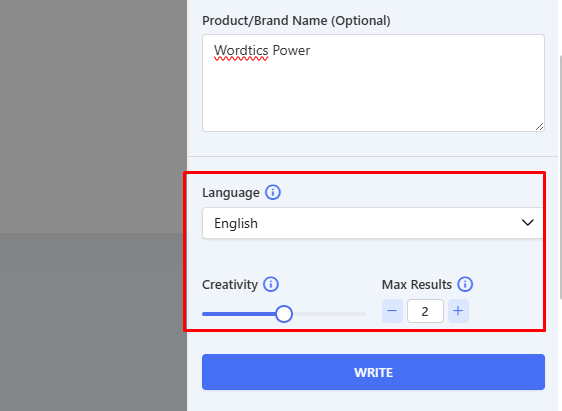
To get help in generating the right CTA copies fast, you can use AI copywriting tools like GetGenie. These tools require only a few prompts and details to generate engaging, powerful CTAs.
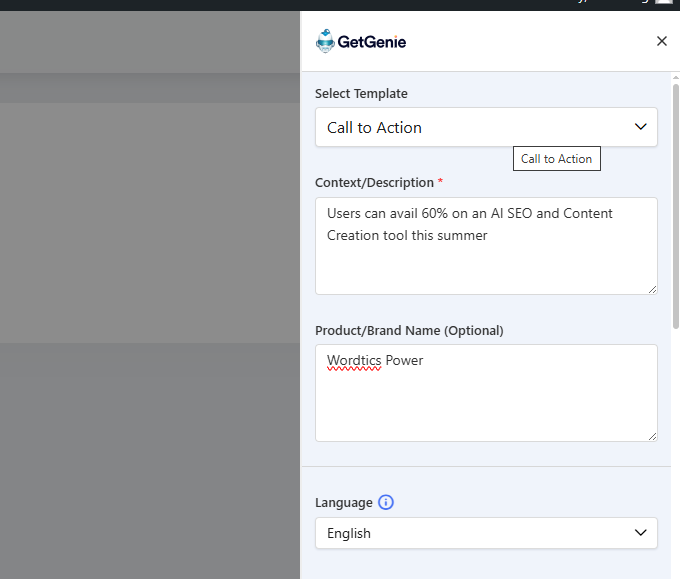
You’ll insert a context or description about the product or offer. And mention the name. Then, it will generate CTA copies based on your inputs.
With a tool like GetGenie, you also get the option of setting the number of outputs you want (from 1 to 6) and the level of creativity (1 – 5). You can also decide which language it will generate in. It will help in multilingual SEO.
After getting the results, pick the one that best suits your needs and copy it to use it to our content/page.

From the above, you can choose any output that serves as a powerful CTA. However, as a best practice, we’ll go with a shorter one, as long as it has the potential to drive user action. So we go with the second one.
Always try to keep your CTAs as short and concise as possible, without sacrificing the intent of driving action.
5. Place the CTAs Correctly
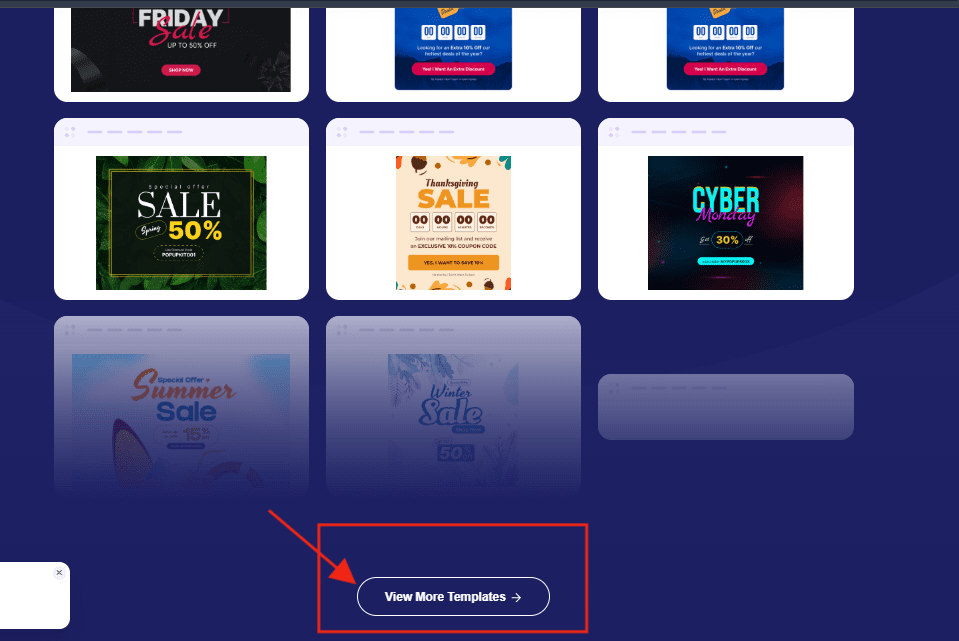
An important strategy is to place the CTAs along with microcopies that lead to it. You can add them at the start of your page to help the user make a quick move toward the desired action. Or you can place it in the middle or at the bottom of the page if you want the reader to read some sections before making a move.
The placements should be strategically aligned with your end goals. For example, the section below shows a CTA to view more templates after some sample templates are listed. The CTA text flows smoothly with the copy and placement on the page. As it is part of a popup builder’s website for WordPress users.
6. Perform A/B Testing
Try different styles of CTA generations. Using “Get” all the time will make your copies look boring. Also, always having an “encouraging” voice may not be as effective as giving your CTA copy a “fear of missing out” (FOMO).
Take for example:
“An imaginary brand named Wordtics Power is offering 60% OFF this summer on its purchase. But time is limited.”
One way to generate or write a CTA would be: “Supercharge Your SEO with Wordtics Power – Save 60% Today!”
An alternative way with more urgency is: “Don’t Miss Out – Unlock 60% Off Wordtics Power Now!”
Before finally publishing the CTAs with the copies or content, proofread and edit accordingly. Then, check how the post is performing using different SEO insight tools. And, for social media platforms, either their built-in analytics or more external, comprehensive analyzers.
Perguntas frequentes
Resumindo
To create powerful CTAs, you must follow the strategies mentioned above. These will help you attract a more qualified audience for the purpose of your post.
I also advise you to use AI content creation tools to generate the CTA texts. Just make sure you add the right details or prompts.

 Danish
  Swedish
  Polish
  Korean