








Using GetGenie’s AI FAQ Generator, users can instantly create structured, accurate, and publishable FAQ sections. This will help the users’ blog posts and landing pages get better AI visibility and improved user experience.
How to Use AI FAQ Generator #
GetGenie is both a WordPress plugin and SaaS tool. So users can find, install, activate, and start using this AI content creation and SEO tool via:
- WordPress Dashboard
- Downloading from WordPress.org
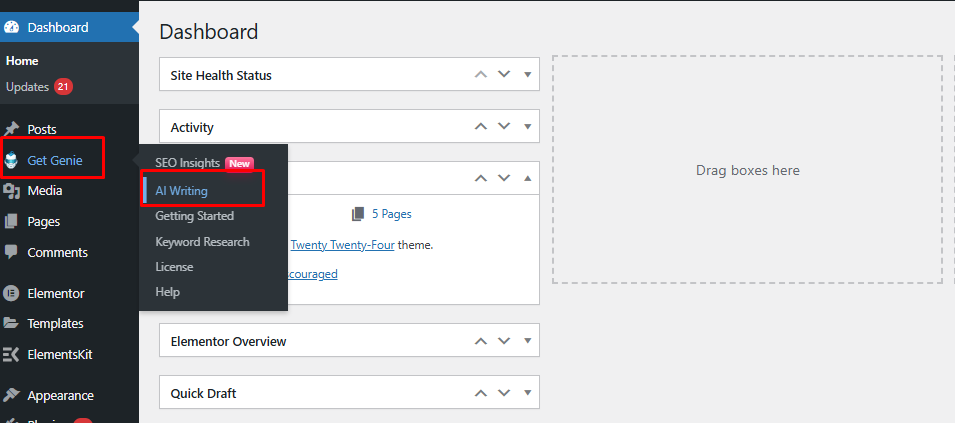
Once you have GetGenie installed and activated, you’ll find AI FAQ Generator template via WordPress > Dashboard > GetGenie > AI Writing > AI FAQ Generator from the left of your screen.
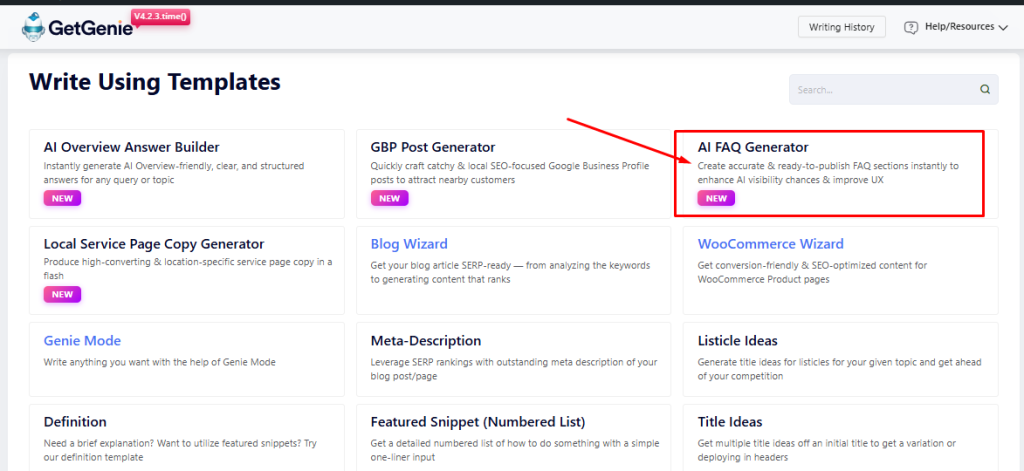
When you enter AI writing window, you’ll see a list of templates. From there, pick AI FAQ Generator.
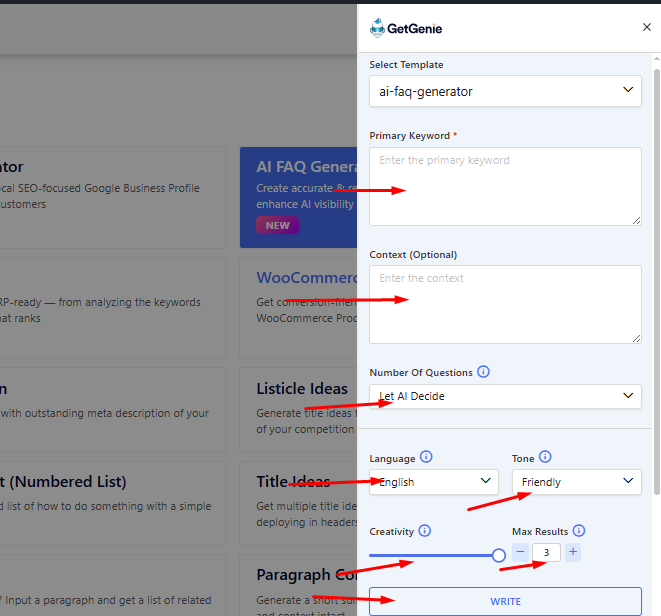
The template will slide in from the right. And you will the notice input fields: Primary Keyword, Context (Optional), Number Of Questions, Language, Tone, Creativity, and Max Results. And the action button Write, that will generate the outputs once all the input field and options are responded to.
1. Adding the Input Details #
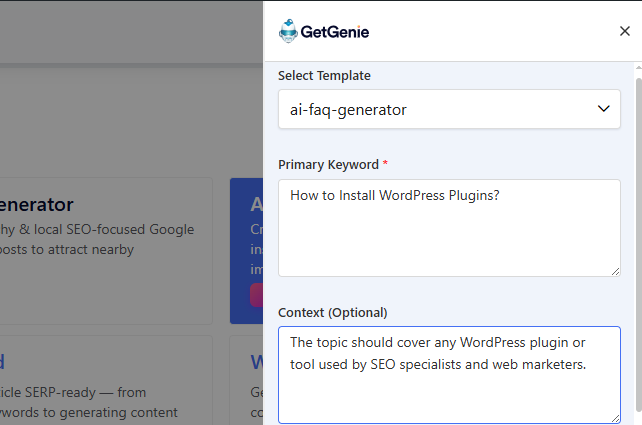
First, enter your primary keyword or topic. Then, add some content or extra instructions that will help GetGenie offer more relevant and accurate outputs. But that is optional.
2. Selecting the Options #
Once you have the details entered, now it’s time to choose the number of FAQs, Language, Tone, Creativity Level, and number of Results.
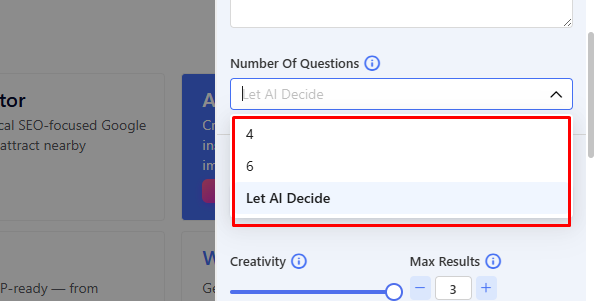
Number of FAQs, as of now, are 4, 6, and AI-chosen. It follows the standard number of FAQs across most content pieces and pages on the SERP.
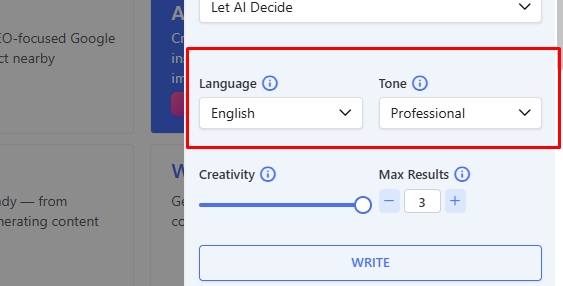
You can choose from any of the 33 languages integrated in GetGenie. And select a tone of voice as well. Currently, the tool offers 10 options, included in the dropdown with the option.
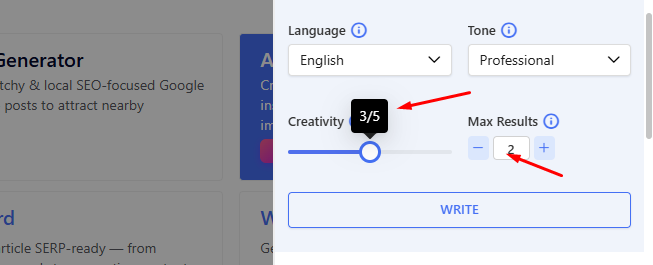
Before clicking Write to generate the answers, you can set the output creativity from 1 to 5. And the number of results anything between 1 to 6.
3. Generated Output #
Finally, once all is selected and entered, press Write and you will see your desired results. Here, you’ll see two results, drafted in professional English language as we opted for above.
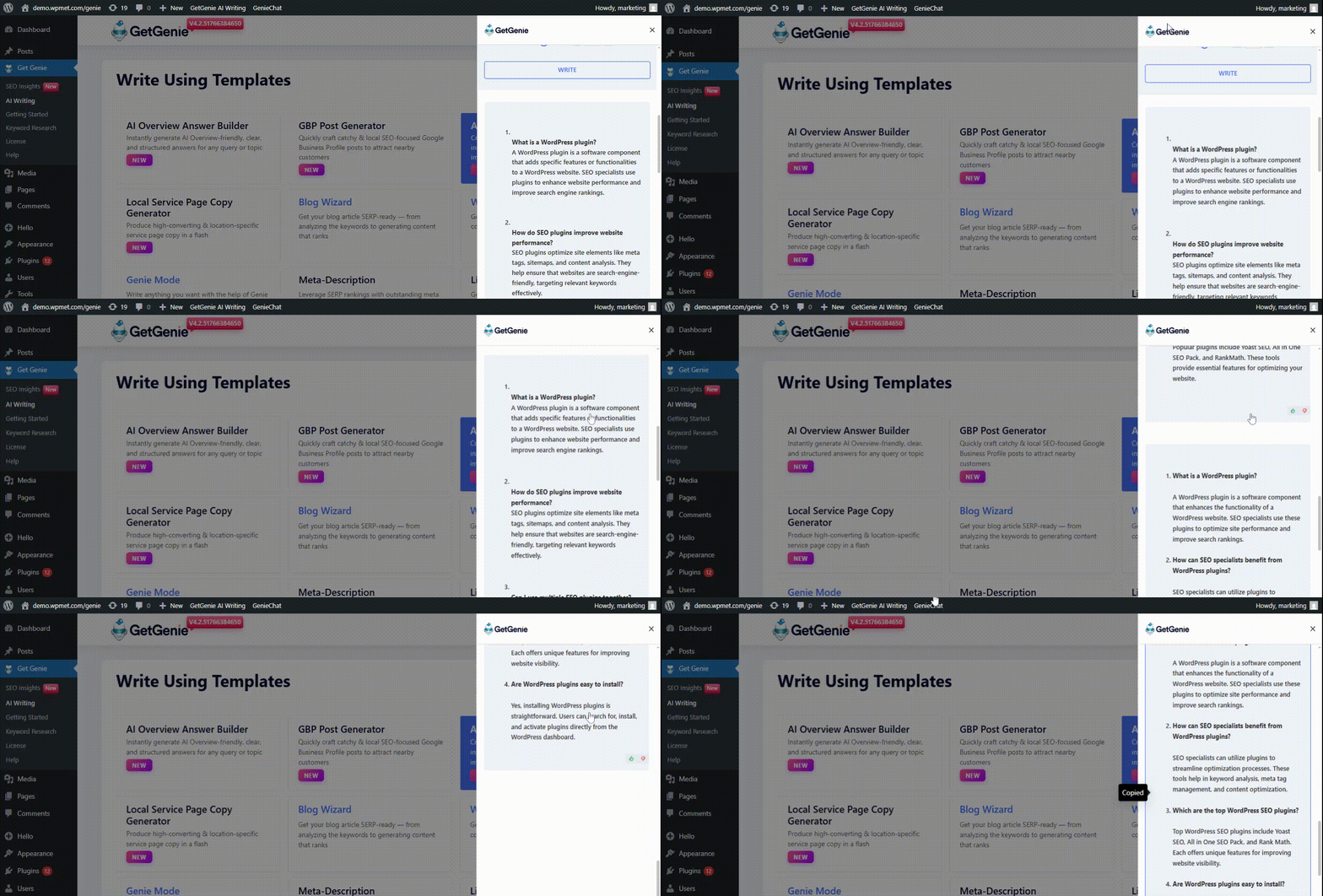
Select any one of the FAQ sets and use it as per your needs.
REMEMBER: The outputs will vary in structure and number, depending on your primary keyword and context. The FAQ sets are generated to help you rank in AI visibility and LLM citations.
Try GetGenie today to use this powerful template for both SEO and AI visibility enhancement!


 Danish
  Swedish
  Polish
  Korean