









Introducing New Features for AI Search & Local Search Visibility in GetGenie

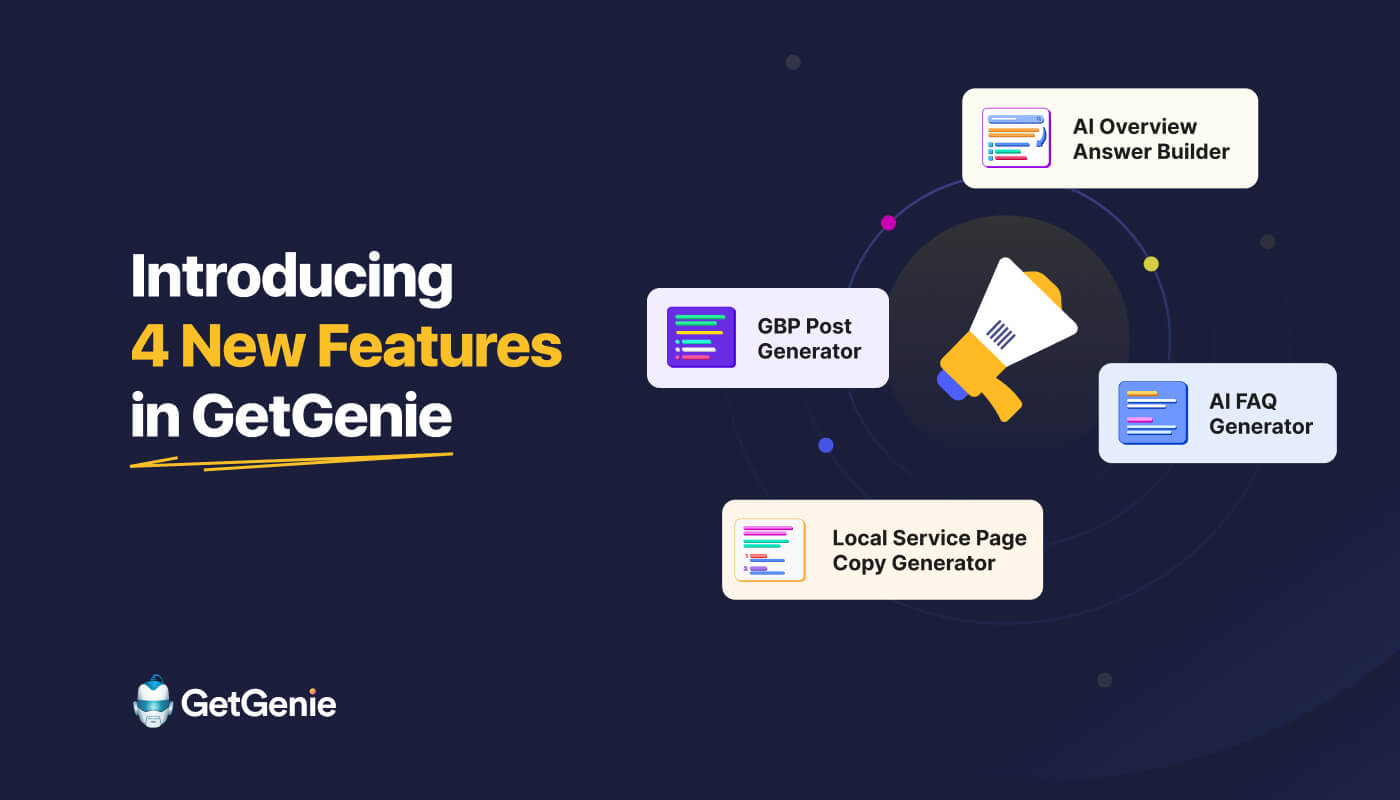
Meet GetGenie’s 4 latest features, built to help WordPress users craft their content.
Now, you can get your content cited in AI Overviews & LLM platforms. Also, you can enhance your local search visibility if your local business has an online presence.
- AI Overview Answer Builder
- AI FAQ Generator
- GBP Post Generator
- Local Service Page Copy Generator
These days, you might have noticed that some of your content ranks in the SERP but doesn’t show up in AI Overviews & LLM platforms. Also, many of your pages are losing traffic over time.
As for local businesses, publishing regular Google Business Profile posts matters a lot for local search visibility. Also, crafting engaging & benefit-driven copies is key to driving conversions.
To deal with these exact issues, we have launched the 4 exciting AI search & local search-related features for your WordPress site.
AI Overview Answer Builder
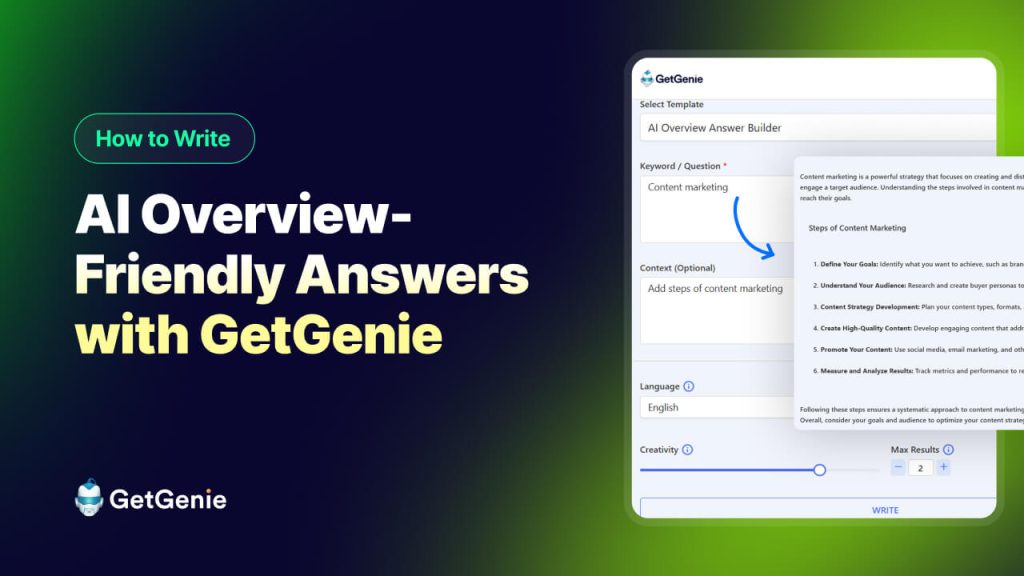
Det AI Overview Answer Builder in GetGenie helps WordPress users create content that is structured, factual, and optimized for AI-driven search results.
Unlike regular content writing features, it focuses on how AI systems understand and present information. This makes it easier for your content to appear in Google AI Overviews.
How it works
Using the AI Overview Answer Builder is simple and fast:
- Using the AI Overview Answer Builder is simple and fast:
- Enter your topic or question: This could be anything your audience is searching for.
- Add context: Provide details like your brand, product, service, or target audience.
- Set language: Choose the language for your questions and answers.
- Adjust creativity & max results – Control how creative or precise the generated FAQs should be.
- Generate output: GetGenie identifies common user questions and creates clear, concise, and search-optimized answers for each question.
- Copy & publish – Add the generated FAQ section directly to your WordPress page or post.
With the AI Overview Answer builder, you will get clear, scannable, and well-formatted outputs based on your input keywords or questions in seconds
Brug Cases
You can use the AI Overview Answer Builder for creating both informative, tutorial, & short, section-wise content.
- Blogindlæg: Quickly create structured & AI Overview-ready blog post sections, including key takeaways & blog post headings that answer common queries.
- Landingssider: Craft properly formatted & AI Overview-friendly copy sections for products, services, & feature pages.
- Quora & Reddit posts: Create concise & accurate answers that stand out in Q&A discussions.
- Comparison guides: Highlight features or benefits in comparison tables that AI can easily extract for summary answers.
Core Benefits
- Increase the chances of your content appearing in Google AI Overviews
- Boost the overall website clicks & impressions
- Build credibility with straight & accurate answers to user queries
- Encourage user actions by writing authentic & convincing content
AI FAQ Generator
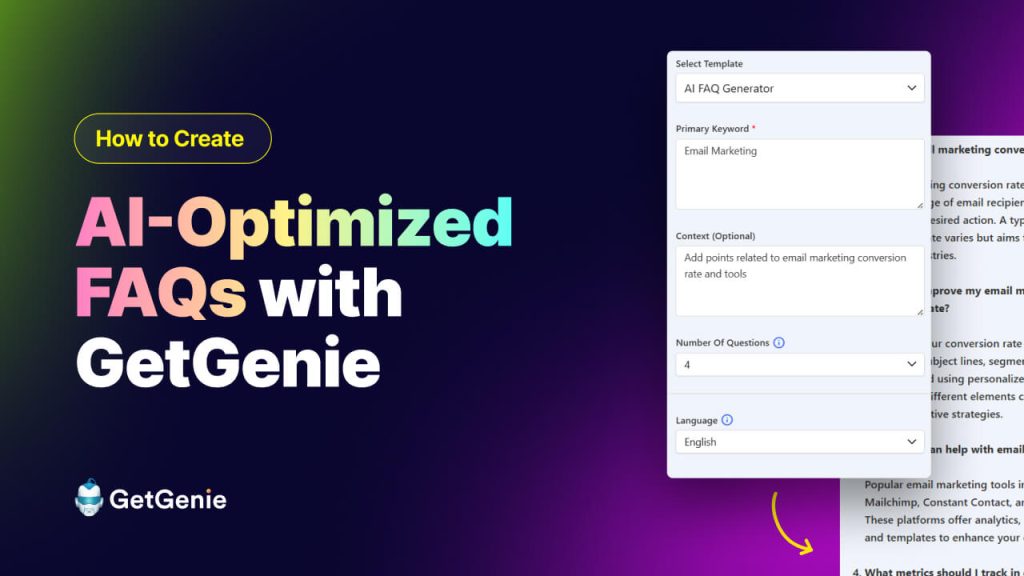
AI FAQ Generator allows WordPress users to create AI search-optimized & user-intent-driven FAQs for any page or post.
What makes it stand out is its focus on questions that search engines and AI systems actually look for. Consequently, your content gets more discoverable in both traditional search and AI-driven search experiences.
How it works
Creating FAQs with GetGenie is fast and easy:
- Enter your primary keyword or topic: This is the main subject your page or post focuses on.
- Add context: Provide details about your product, service, or blog post to help the AI generate relevant questions.
- Select the number of questions: Decide how many FAQs you want to generate for your page.
- Set language: Choose the language for your questions and answers.
- Adjust creativity & max results: Control how creative or precise the generated FAQs should be.
- Generate output: GetGenie identifies common user questions and creates clear, concise, and search-optimized answers for each question.
- Copy & publish: Add the generated FAQ section directly to your WordPress page or post.
With the AI FAQ Generator, you will get a structured & ready-to-publish FAQ section in seconds. Thus, your content will answer user queries & boost visibility.
Brug Cases
- Blogindlæg: Add AI-friendly FAQs at the end of posts to answer common questions.
- Product/service pages: Clarify features, pricing, or service details in a format AI can highlight.
- Quora & Reddit threads: Provide concise and credible answers to popular questions.
- Knowledge bases: Build searchable FAQ sections for customers.
- Comparison pages: Summarize key differences with AI-friendly Q&A.
Core Benefits
- Improve chances of appearing in featured snippets or AI search platforms
- Save time on researching and writing FAQs manually
- Build trust with clear, accurate, and helpful answers
- Increase engagement and reduce bounce rates by addressing user questions
- Make content more structured for both humans and AI systems
GBP Post Generator
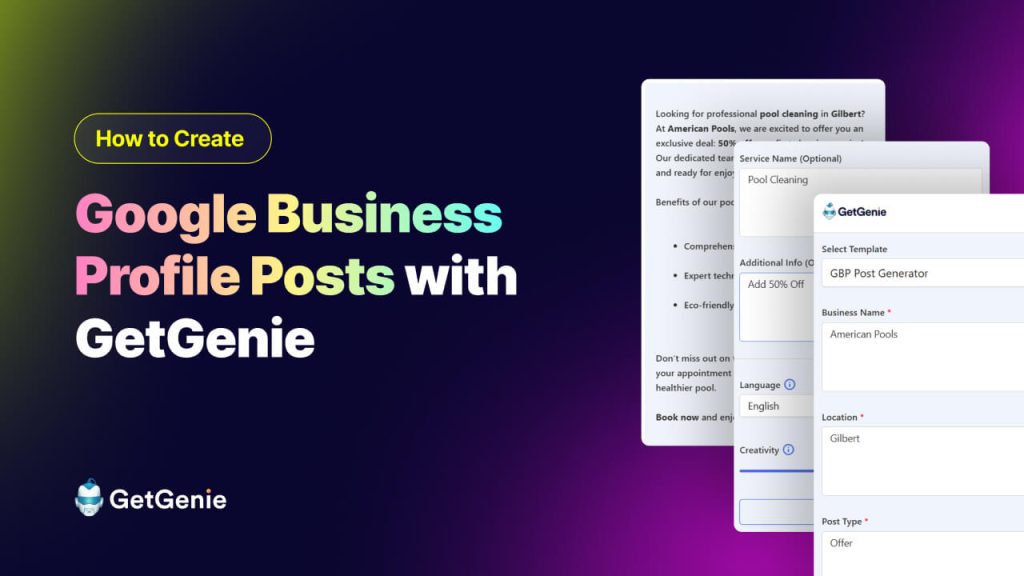
Det Google Business Profile (GBP) Post Generator is for creating engaging & local-optimized posts for your Google Business Profile.
Instead of spending hours writing posts manually, you can use it to craft short & impactful updates, tips, service highlights, or any info you deem necessary. This will improve your local search visibility from local packs & Google Maps.
How it works
Creating a GBP post is simple:
- Enter your business name: Specify your business to personalize the post.
- Add your location: Include the city or area you want to target for local SEO.
- Select post type: Choose the type of post you want to create (e.g., update, promotion, event).
- Enter service name (optional): Highlight a specific service if relevant.
- Add additional info (optional): Include any extra context, such as offers, announcements, or seasonal details.
- Set language: Choose the language for your questions and answers.
- Adjust creativity & max results: Control how creative or precise the generated FAQs should be.
- Generate output: GetGenie identifies common user questions and creates clear, concise, and search-optimized answers for each question.
- Copy & publish: Add the generated FAQ section directly to your WordPress page or post.
With the GBP Post Generator, you can produce consistent & high-quality local posts in seconds. And this will keep your business active on Google Business Profile & enhance its visibility.
Brug Cases
- Promotions & offers: Highlight discounts, seasonal deals, or limited-time offers.
- Service updates: Notify customers about new services or operational changes.
- Events & announcements: Share upcoming events or community activities.
- Customer engagement: Post polls, questions, or tips to engage your audience locally.
- Holiday campaigns: Create timely posts aligned with special occasions.
Core Benefits
- Strengthen local search visibility and rankings
- Save time creating frequent, high-quality posts
- Increase engagement with nearby customers
- Keep your Google Business Profile active and consistent
- Enhance trust and credibility with concise, professional posts
Local Service Page Copy Generator
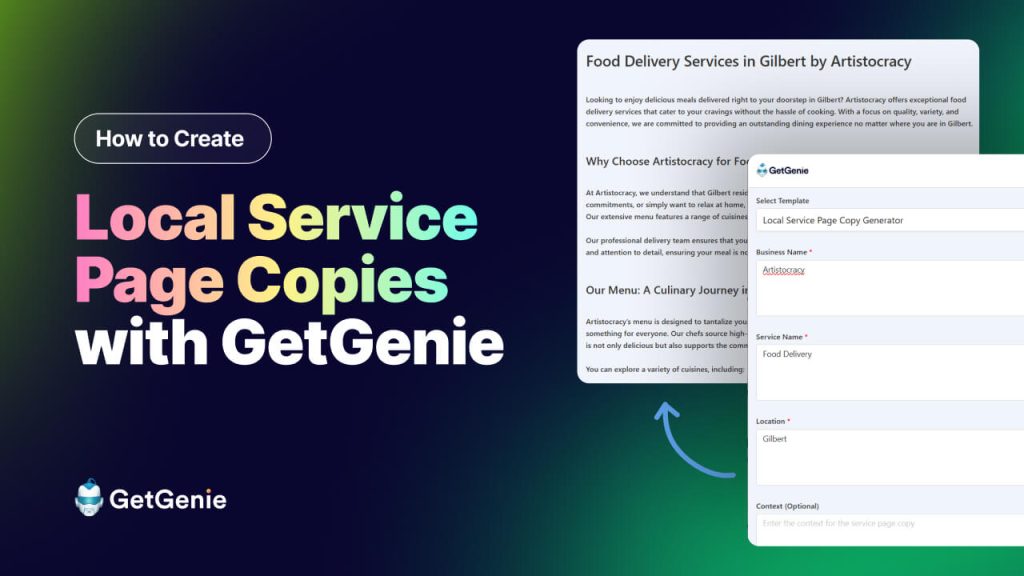
Det Local Service Page Copy Generator in GetGenie helps WordPress users create SEO-optimized, location-focused service pages quickly and efficiently.
It’s designed to turn business and location info into high-converting, structured content for multiple services or locations.
How it works
Generating a local service page is easy:
- Enter business name: Include your business name.
- Enter service name: Highlight a specific service if relevant.
- Add your location: Include the city or area you want to target for local SEO.
- Add context (optional): Include any extra context, such as offers, announcements, or seasonal details.
- Set language: Choose the language for your questions and answers.
- Adjust creativity & max results – Control how creative or precise the generated FAQs should be.
- Generate output: GetGenie identifies common user questions and creates clear, concise, and search-optimized answers for each question.
- Copy & publish: Add the generated FAQ section directly to your WordPress page or post.
The local service page copy generator produces ready-to-publish & local SEO-optimized content in seconds. This will help your local business, especially if you have a multi-location business or you are running an agency to manage multiple clients.
Brug Cases
- City-specific service pages: Build location-targeted pages for each area you serve.
- New service launches: Quickly create pages for new offerings without starting from scratch.
- Agency client sites: Scale content creation for multiple clients efficiently.
- Local landing pages: Optimize for local keywords to improve map pack and local search visibility.
- Multi-location businesses: Maintain consistent, high-quality content across all locations.
Core Benefits
- Save hours of manual content creation for service pages
- Increase local search visibility with optimized, location-specific copy
- Maintain consistent structure and quality across multiple pages
- Boost conversions with persuasive, benefit-focused content
- Easily scale multi-location or multi-service websites without extra resources
To Summarize…
GetGenie’s 4 latest AI-powered features are built to help WordPress users solve content, AI search visibility, and local visibility (For local businesses) challenges.
- AI Overview Answer Builder– Get picked by AI Overviews with structured & to-the-point answers
- AI FAQ Generator– Answer user questions with scanable & AI-optimized FAQs
- GBP Post Generator– Keep your Google Business Profile active with eye-catching local posts
- Local Service Page Copy Generator– Generate conversion-friendly & location-specific service pages
With GetGenie, you don’t just generate content. Rather, create AI-friendly, SEO-ready, and conversion-focused content that gets cited, ranked, & drives real results.

 Swedish
  Polish
  Korean