









How to Efficiently Write Social Media Copies With AI


If you want to write social media copies using AI, use AI content writers that generate engaging, brand-consistent, grammatically correct, and valuable copies. Given you provide the right brand and product details. This will make your work efficient and effective.
Hurtigt overblik
When you use AI for efficiently generating social copies, make sure the copies:
➡️ Engage the right audience
➡️ Meet platform-specific rules
➡️ Have the right hook
➡️ Close of with a powerful CTA
➡️ Be grammatically correct.
To get the best results, use AI content writers like GetGenie for quick and engaging copies.
How to Efficiently Create Social Media Copies with AI?
When using AI tools to boost and improve social media copywriting, you must check whether the copies:
- Appeal to your target audience
- Follow copywriting best practices of the particular platform
- Start off with the right attention-grabber
- Close off with an effective Call-to-Action (CTA)
- Don’t include embarrassing grammatical errors
GetGenie, a tool which you can use as a WordPress plugin and a SaaS solution, ensures the above factors. And also offers different templates for social media copywriting. One of the templates it offers is Social Media Copy/Post.
To use GetGenie’s social media copy template for compelling social copies, follow the steps detailed below.
Step 1: Install GetGenie
You need to download and install GetGenie to get started using it. There are three methods to install and activate the GetGenie plugin on your WordPress site:
- From the GetGenie prisside
- From the WordPress Dashboard
- From WordPress.org
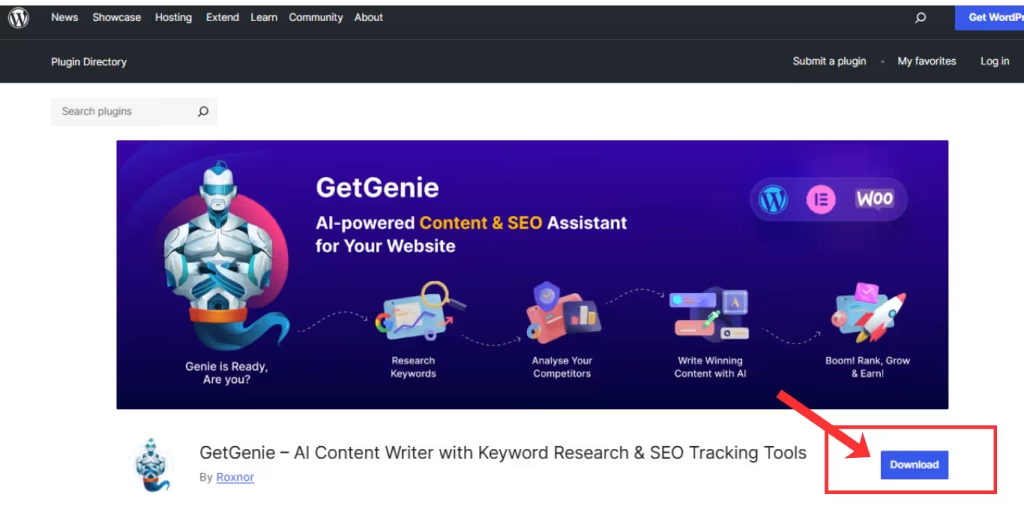
Step 2: Using GetGenie for Social Copy
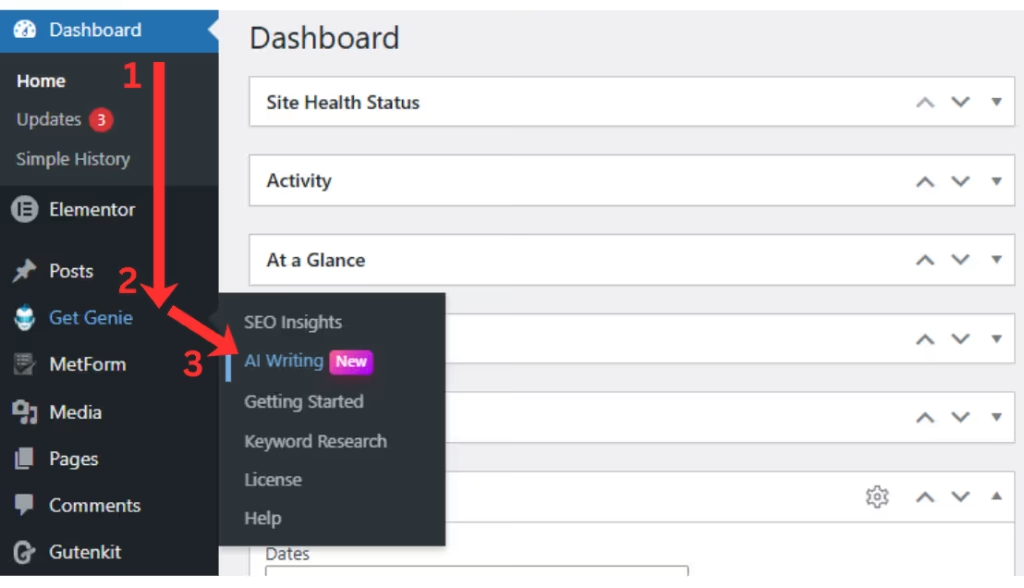
Once you are at the WordPress Dashboard with GetGenie installed and activated, move over to Dashboard > GetGenie > AI Writing.
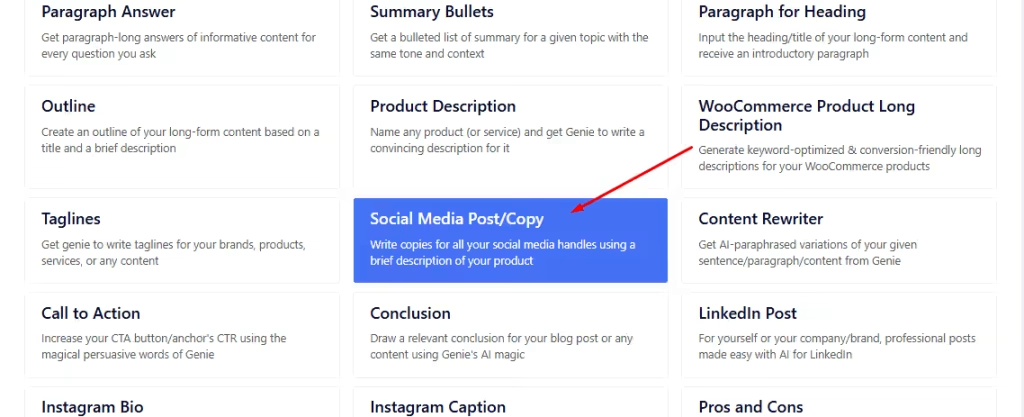
There you will notice over 40 templates, each dedicated for particular content creation tasks. Select the Social Media Post/Copy template from the list.
Step 3: Using Social Media Copy Template
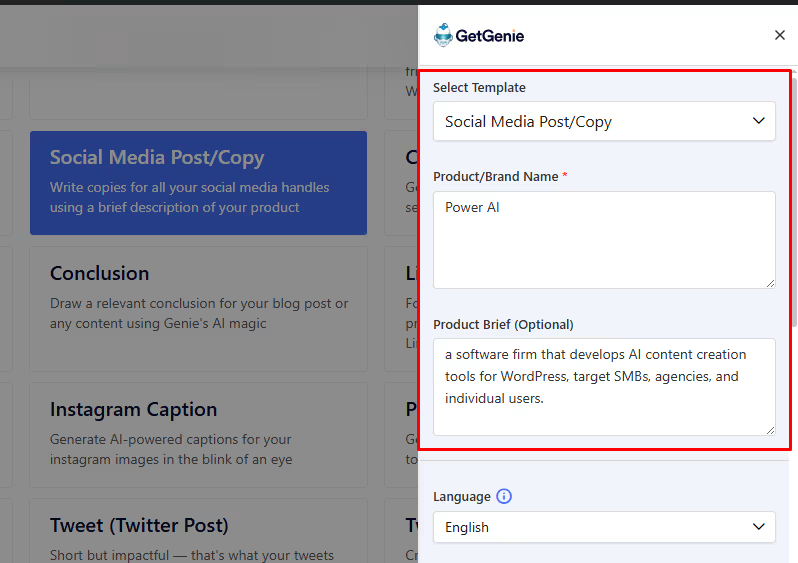
Next, the template window will appear from the right of your screen.
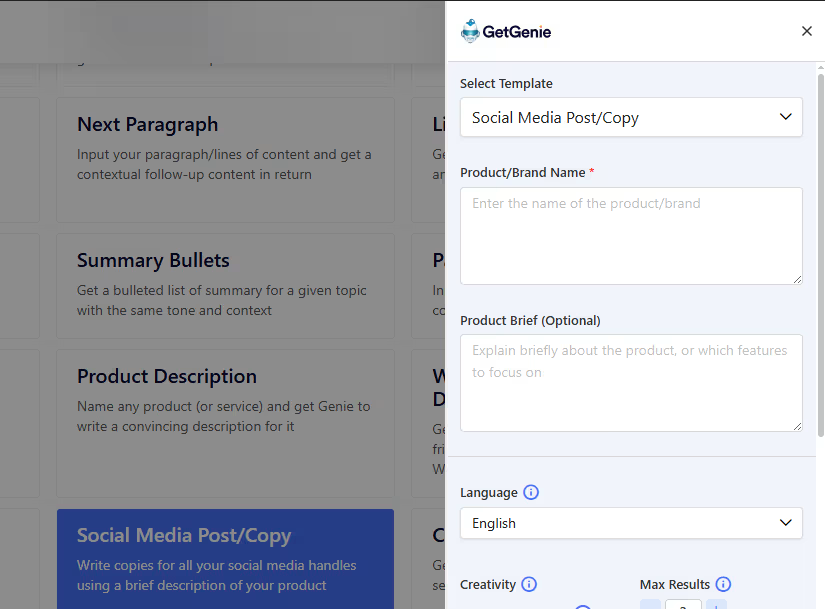
There, add the details of your desired social media copy. Like the Brand or Product Name and a brief on the product. The latter is optional but adds more to the context.
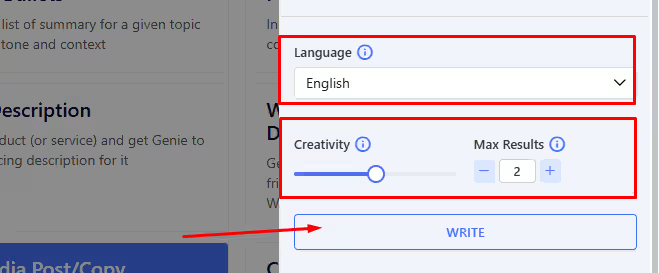
Once you’ve inserted the details, you can select the level of creativity (1 – 5) and number of results (1 – 6) for your desired output. Along with the language of choice. Finally, click on the Write button to generate the results.
Here, we got 2 outputs based on the setting, with creativity of 3, in English.
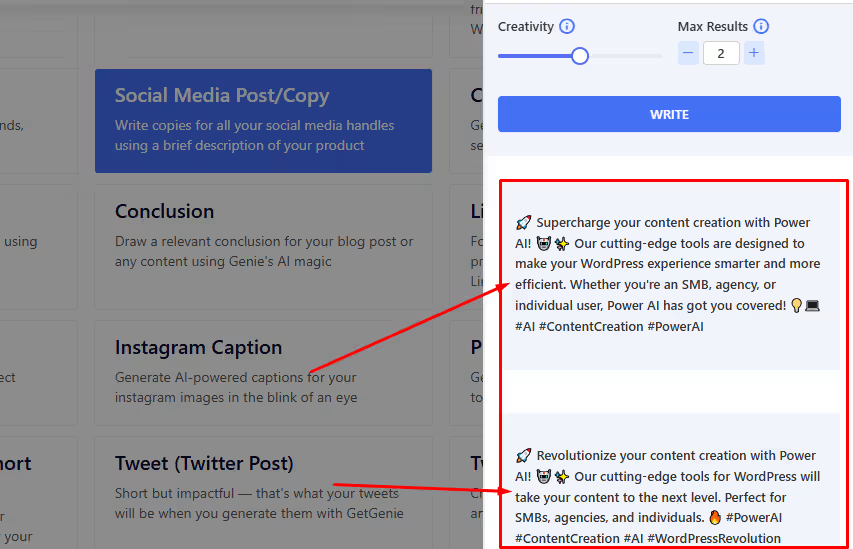
Two outputs are generated. You can select whichever suits your requirements.
Step 4: Check and Finalize the Copy
Before using the copy, see if it matches your brand tone and platform-specific requirements. Know more about it by reading about 10 Social Media Copywriting Best Practices.
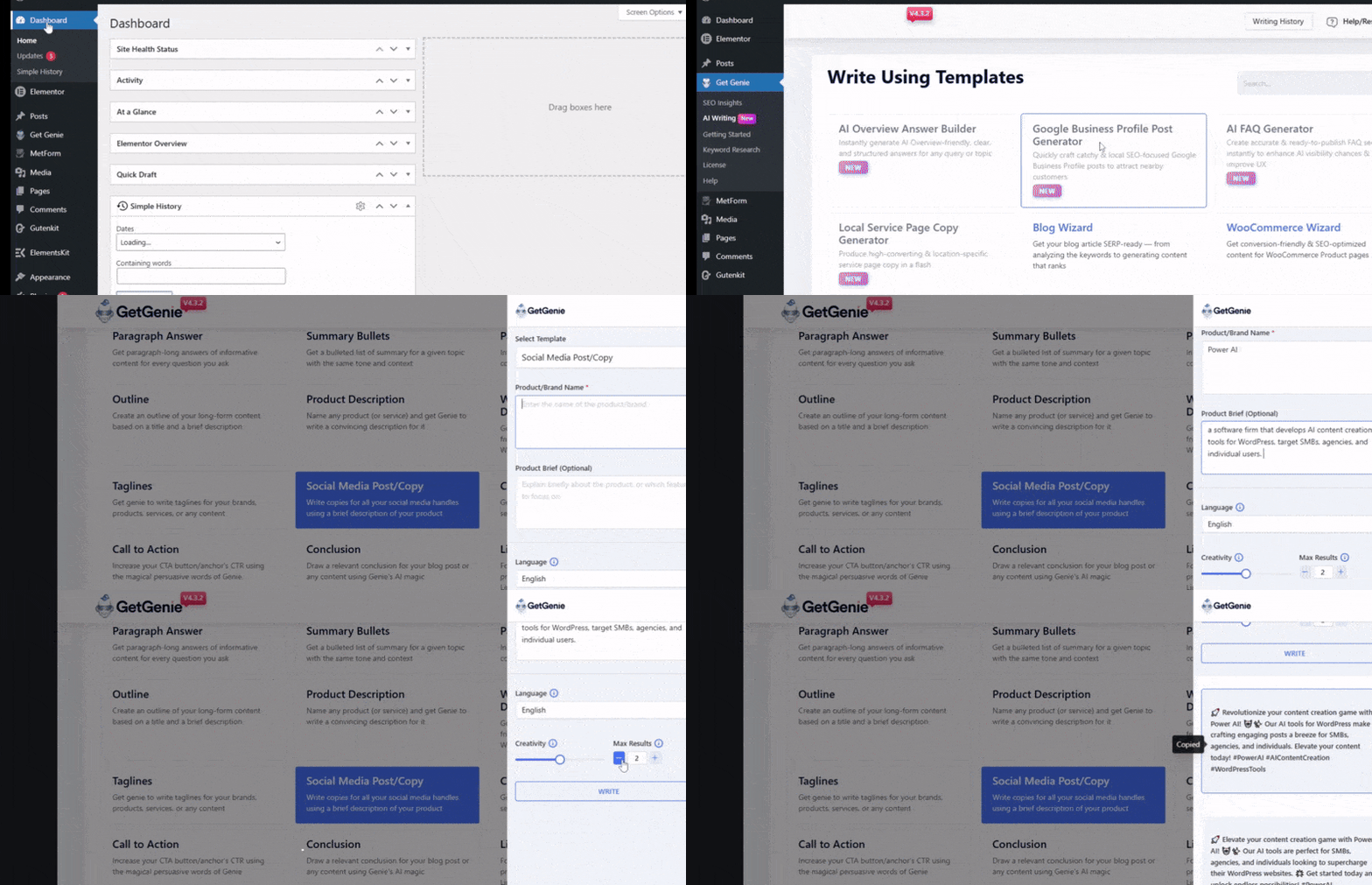
And also, get a quick step-by-step look back at using the social media copy template below. 👇
At opsummere
AI tools help you draft powerful and appealing social copies that feed into more viewer engagements, shares, likes, comments, etc. However, you must also check and review the copies for brand tone, context, audience-friendliness, etc.
Using GetGenie’s social media copy template will let you create engaging copies for social media for the right viewers. These copies are best used as captions of your posts.
For more specific, platform-based copies and posts, try the following templates as well:
👉 GetGenie LinkedIn Post Generator
👉 GetGenie Instagram Bio Generator
👉 GetGenie Instagram Caption Generator

 Swedish
  Polish
  Korean