









How to Write WooCommerce Product Descriptions that Sell Efficiently

Writing sellable WooCommerce product descriptions with AI involves following a guided workflow. It’s about defining what you’re selling, setting your content metrics, and letting AI generate optimized copy in seconds.
Often, it takes time to write persuasive WooCommerce product copies. Also, adding relevant keywords involves manual complexity. Despite putting in the effort, many product pages still fail to earn AI visibility & citations in AI-powered search results.
In this post, I will show you how to write WooCommerce product descriptions that convert faster with AI. And that’s also maintaining quality, accuracy, & efficiency.
Writing WooCommerceの製品説明 with AI is simple when you follow a structured workflow. With GetGenie’s easy-to-use templates, you can generate both long and short descriptions that sell.
1. Add Product Name & Keywords: Input the product name and target keywords to guide the AI.
2. Set Key Metrics: Set the language, creativity level, & number of results to get the desired output.
3. Click the Description: Let GetGenie generate multiple options for your product description.
4. Select Your Output: Review and edit if needed, and publish the version that best fits your product and brand voice.
5. Long Descriptions: Educate buyers, cover features & benefits, and support SEO & AI visibility.
6. Short Descriptions: Highlight key benefits concisely, grab attention, & drive conversions quickly.
How to Write WooCommerce Product Descriptions (Long) Efficiently
Here, I have shown a simple AI-powered workflow to create detailed & convincing long descriptions. You’ll learn how to generate content that educates buyers and persuades them to make a purchase.
GetGenie’s WooCommerce Long Product Description Generator is built for this exact purpose.
Step 1: Add the Product Name & Keywords
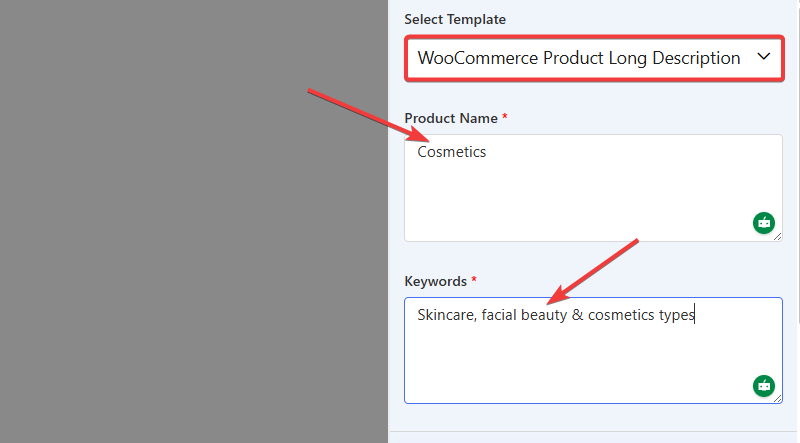
Right at the get-go, enter your 商品名 そしてその 関連するキーワード you want the product to rank for. This will help the AI generator align the description with both search intent and buyer expectations.
Step 2: Set the Key Metrics

Next, configure the key settings:
- 言語 – Choose your preferred language
- Creativity level – Control how straightforward or creative the copy should be
Max results – Decide how many variations you want to generate
Step 3: Generate the Description
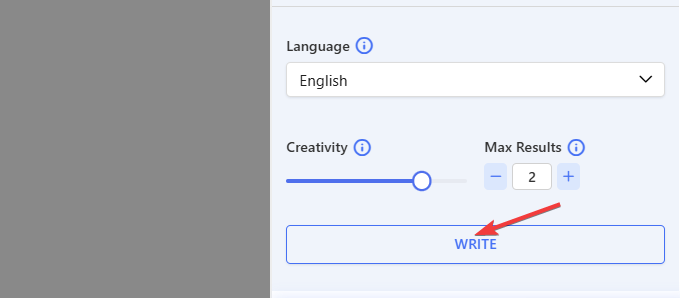
Once everything is set, click the 書く button. GetGenie will generate a detailed & SEO-friendly long description that will cover features, benefits, and use cases of your chosen product.
Step 4: Select Your Output
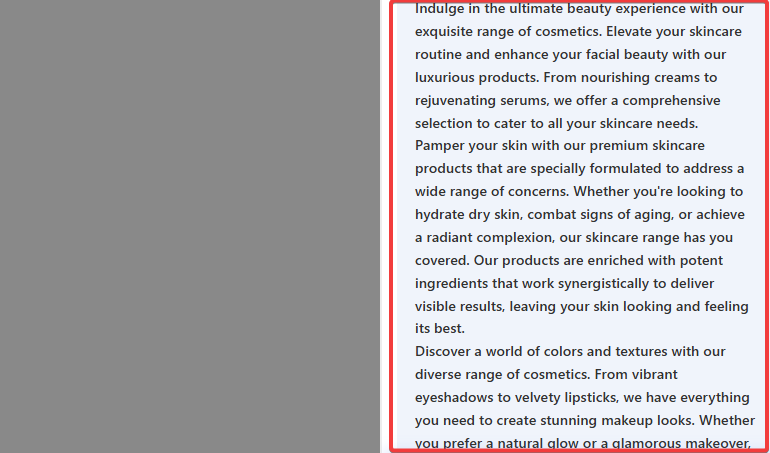
Review the generated options and choose the one that best fits your product and brand voice. If you are into the WordPress editor, you can insert the description into the editor.
However, if you want to use the description elsewhere, copy & paste it on the target page. You can also make edits if you want. Finally, publish it on your WooCommerce site.
How to Write WooCommerce Product Descriptions (Short) Efficiently
To write WooCommerce short product descriptions, highlight the product’s key features and benefits in just a few lines.
使用する GetGenie’s WooCommerce short product description generator template, you can quickly create catchy & impactful copies that inform & convert prospects.
Step 1: Add the Product Name & Keywords
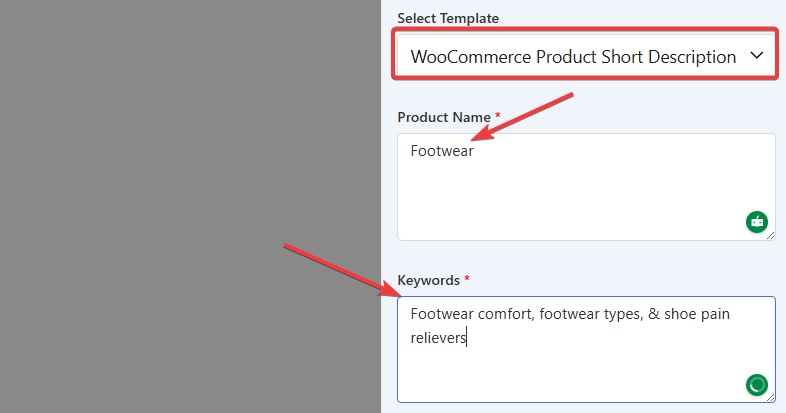
Just like the long description, start by entering the 商品名 そして target keywords to keep the copy relevant and optimized.
Step 2: Set the Key Metrics
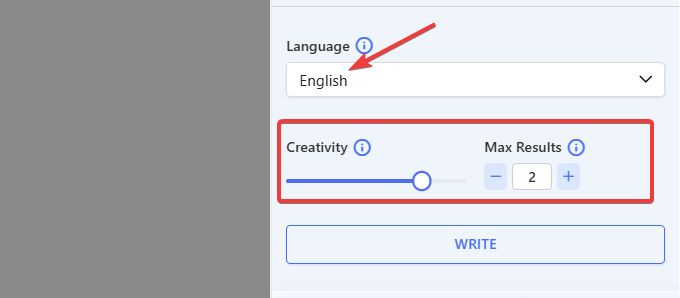
Adjust the same core settings:
- 言語
- Creativity level
- Max results
This ensures the short description stays concise while still being compelling.
Step 3: Generate the Description

クリック 書く button to instantly generate multiple short description variations focused on clarity and conversion.
Step 4: Select Your Output
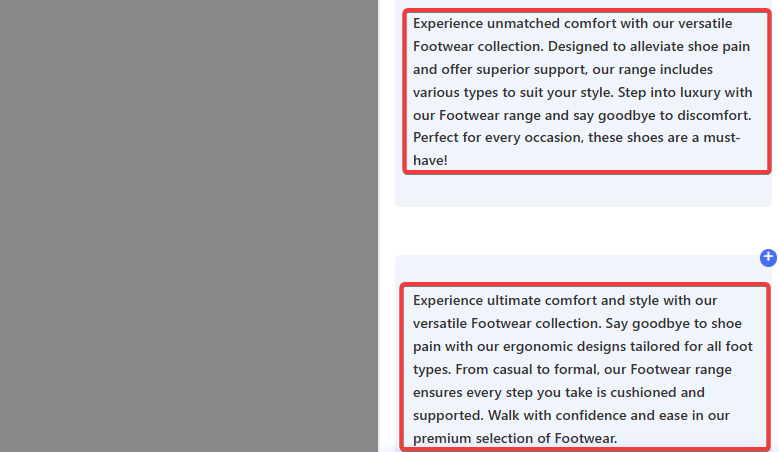
Pick the version that best summarizes your product’s value in just a few lines, then add it to your WooCommerce short description field.
次はあなたです
Once you generate WooCommerce product descriptions with AI, don’t just copy & paste blindly. Make sure the copies highlight how a particular product solves customers’ pain points, showcase its key benefits, and clearly communicate its value.
GetGenie masters in all these areas if you instruct properly. The AI tool will also create optimized descriptions, so you don’t have to separately work on optimization.
Remember, your goal is to connect with your audience, answer their questions, and make buying easy with your WooCommerce product descriptions.

 Danish
  Swedish
  Polish
  Korean