







How to Generate a Blog Outline with AI [2 Simple Methods]

Veloce panoramica
Generating a well-structured blog outline takes just a few minutes with AI like GetGenie. The tool ensures that each generated heading is SEO-friendly. You can easily generate a blog outline through a dedicated dashboard template or directly within the WordPress editor.
Here are some considerations for generating high-quality blog outlines:
✅ Choose your environment: Use the “Outline Template” for pre-planning or “Write For Me” inside the WordPress editor.
✅ Provide clear context: Input specific blog details to help the AI understand your intent and target audience.
✅ Adjust creativity levels: Tune the settings to find the right balance of the generated outline.
✅ Set the number of results: Adjust the number of results you want the tool to generate.
Step-by-step: How to Generate a Blog Outline with AI
First, make sure that you have installed and activated the blog outline generator, GetGenie, in your WordPress website so that you can access its different writing templates, including Contorno.
Learn how to install and activate the blog outline generator.
Method 1: Use Outline Template
This method is ideal if you want to quickly generate an outline before writing the actual blog post.
Step 1: Choose Outline Template
- Open GetGenie from your dashboard.
- Navigate to the AI Writing to see all the templates.
- Find the Outline template and click to open it.
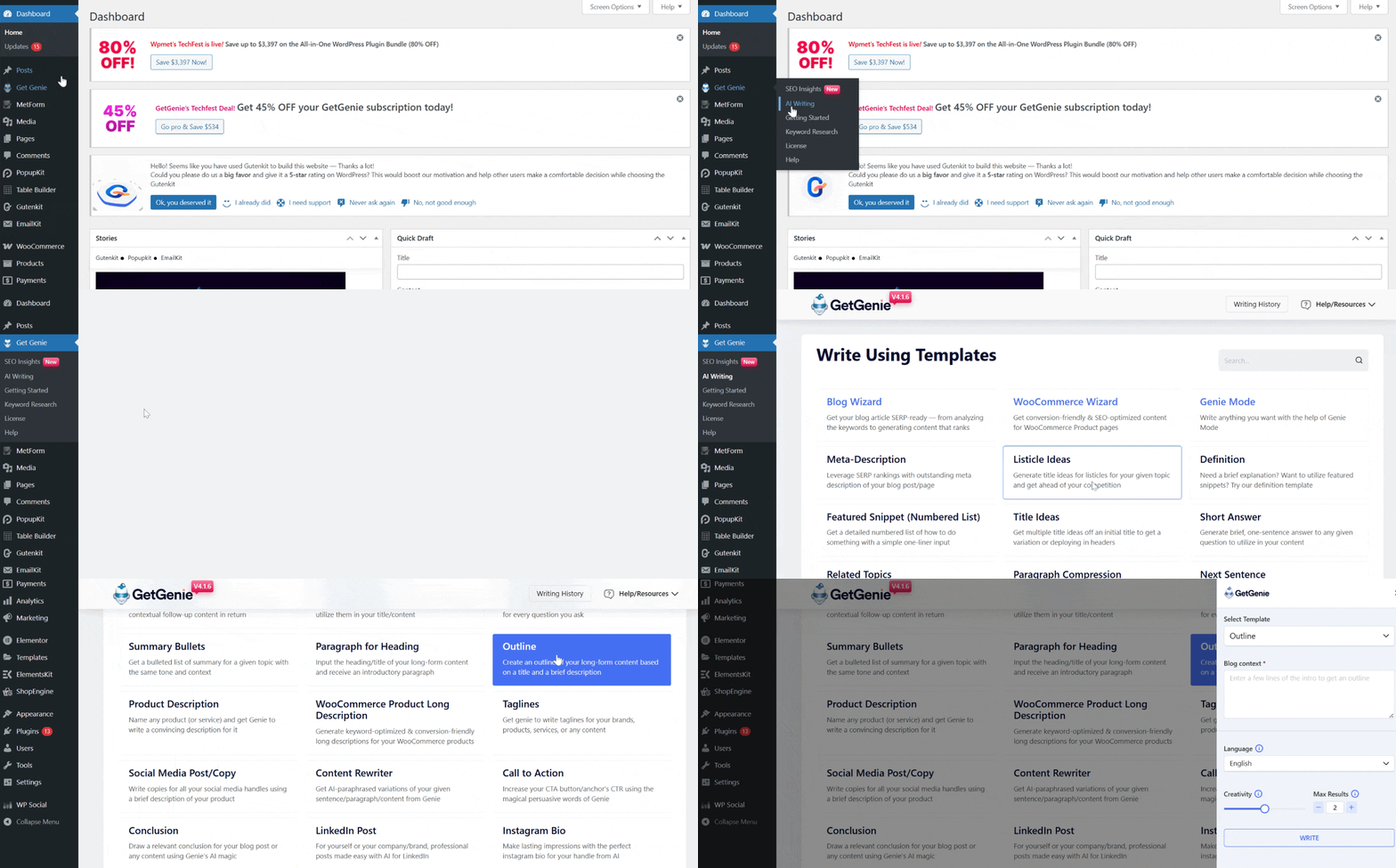
This template is built to generate logical headings and subheadings based on your topic for blog posts.
Step 2: Complete the Template Settings
Fill in the required fields, such as:
- Blog context
- Lingua (English, in this case)
- Creativity level (how creative you want the results to be)
- Max results (maximum results you want to generate)
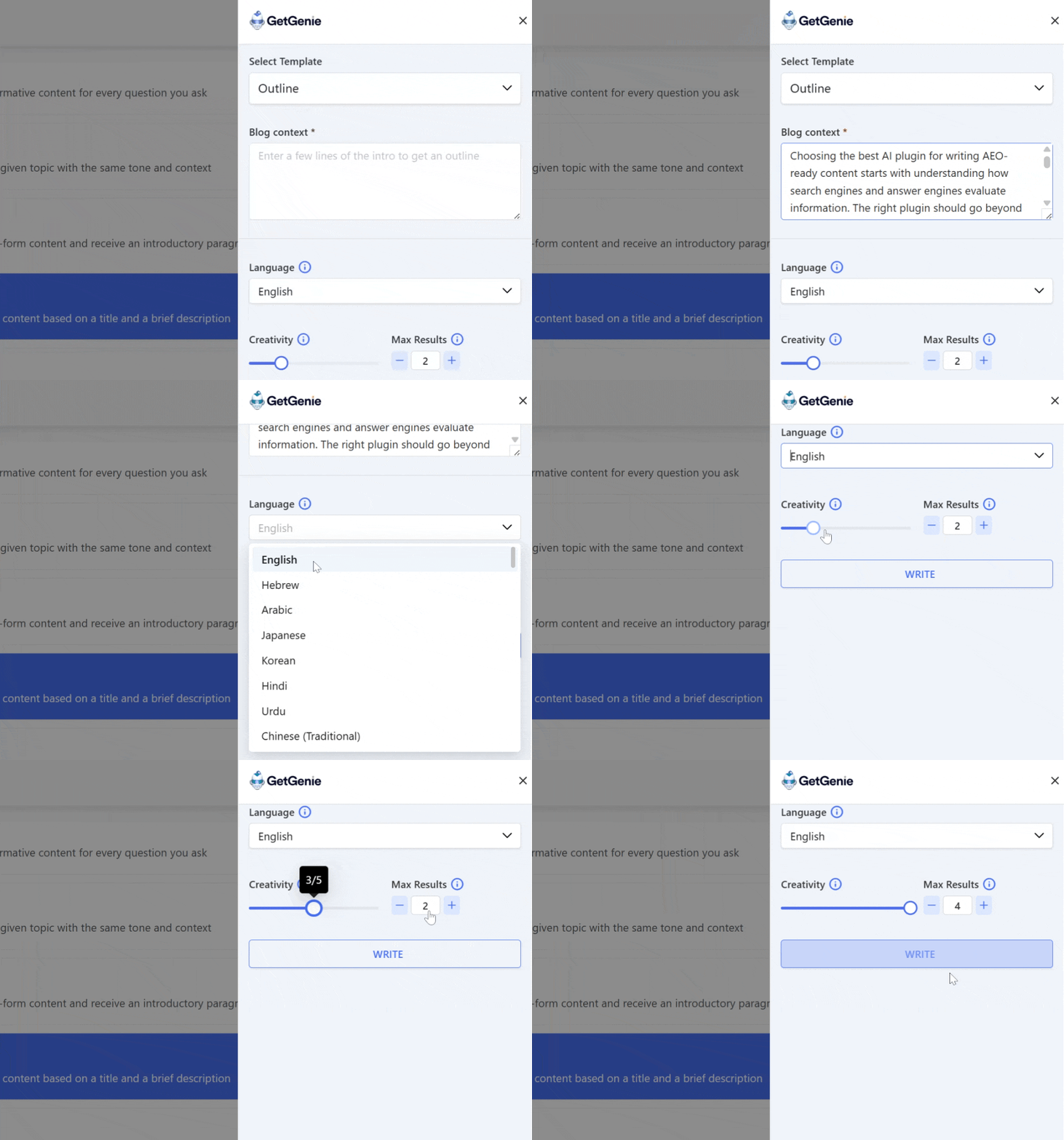
These settings help GetGenie understand the context and intent of your blog post. Then click on Scrivere and wait for a couple of seconds to generate your blog post outline.
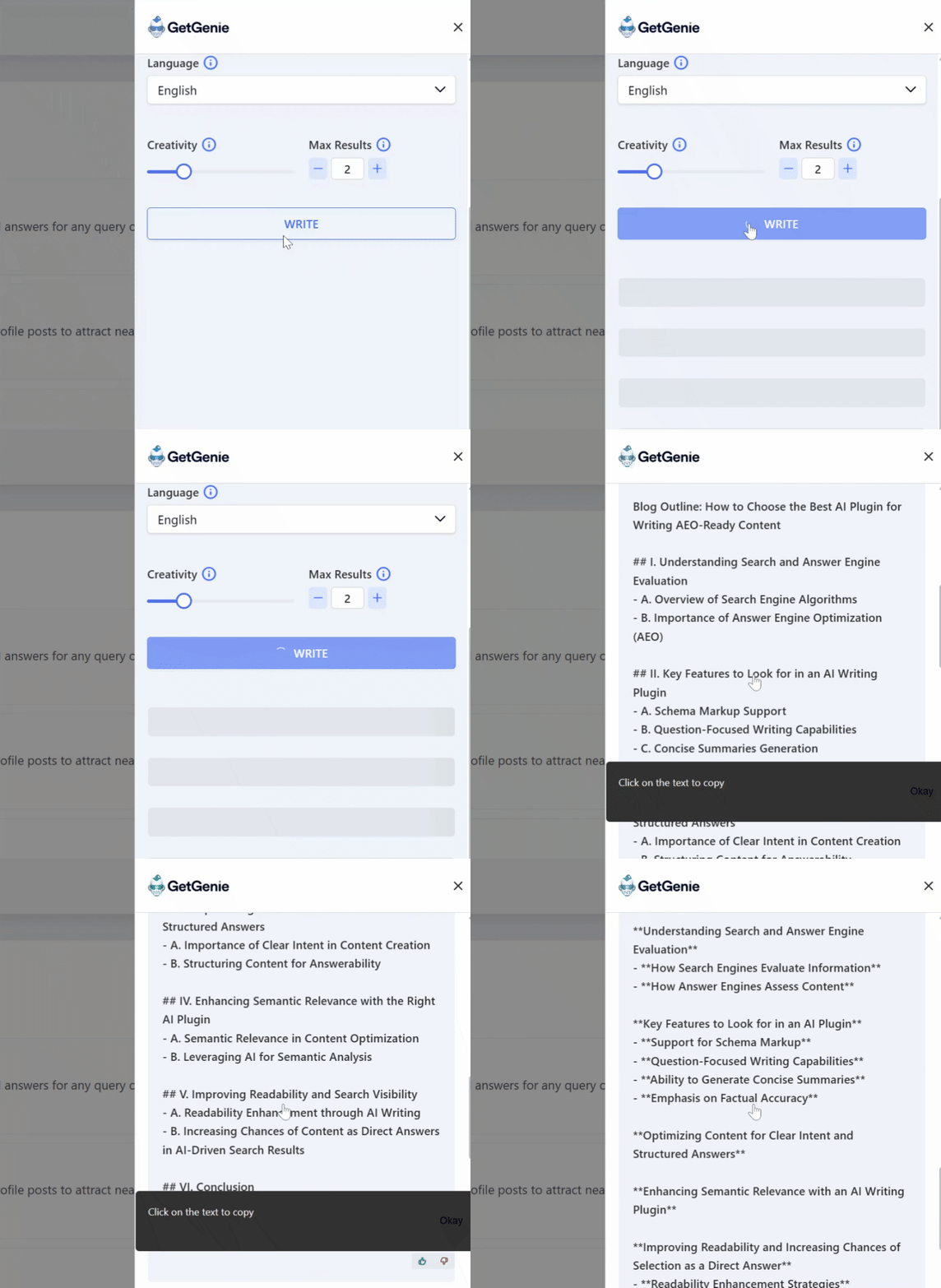
Step 3: Copy the Generated Outline
Once the outline is generated:
- Copy the outline and paste it into your document or WordPress editor.
- Review the headings and structure.
- Make any quick adjustments if needed.
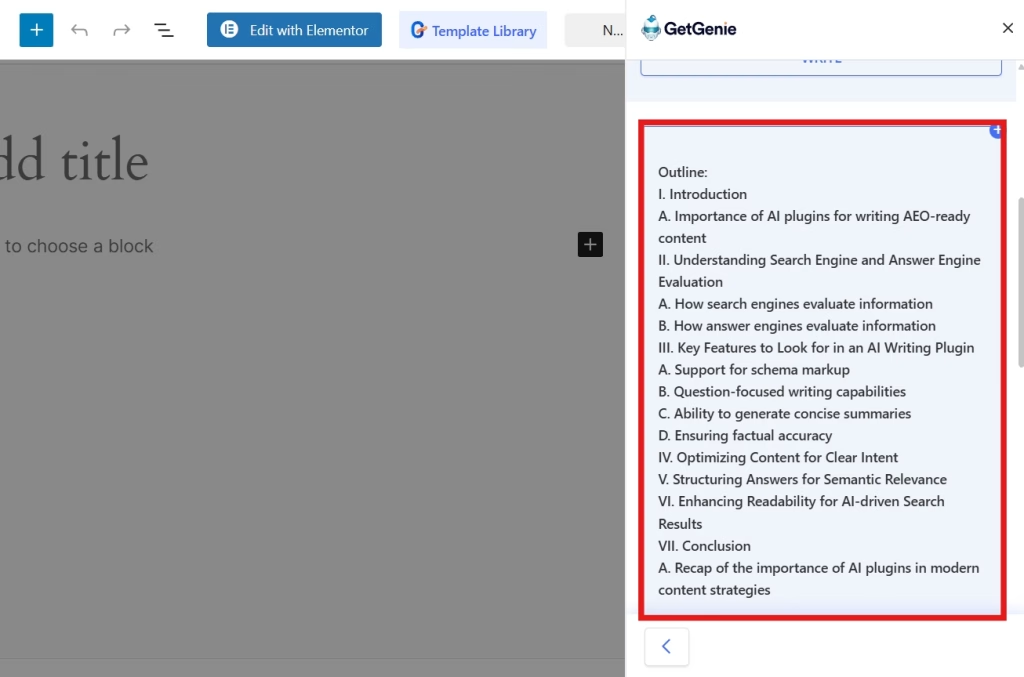
You now have a clean, ready-to-use structure for your blog post.
Method 2: Use the Template Inside the Post/Page
This method is perfect if you prefer generating outlines while working directly inside WordPress.
Step 1: Open a New Post and Select Write For Me
From your WordPress dashboard:
- Clic Posts → Add New to open the editor where you want to write your blog.
- Look for the Write For Me button at the top left of your editor screen and click on it.
- Use the search bar to search for the Outline template.
- Select the Outline template to open its settings.
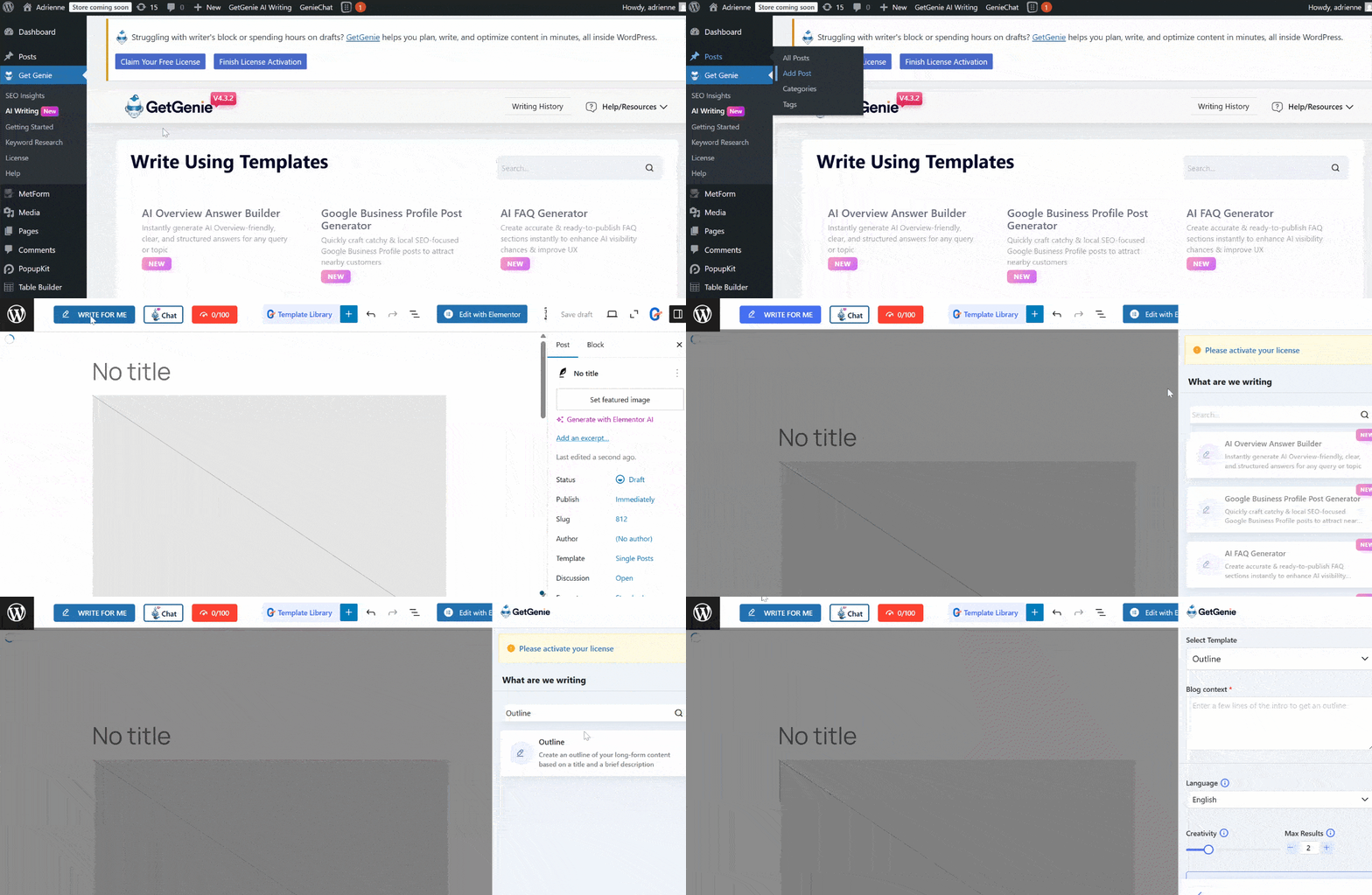
This allows you to generate content without leaving your writing environment.
Step 2: Complete the Template Settings
Just like Method 1, fill in:
- Blog context
- Lingua (English, in this case)
- Creativity level (how creative you want genie to be)
- Max results (maximum results you want to generate)
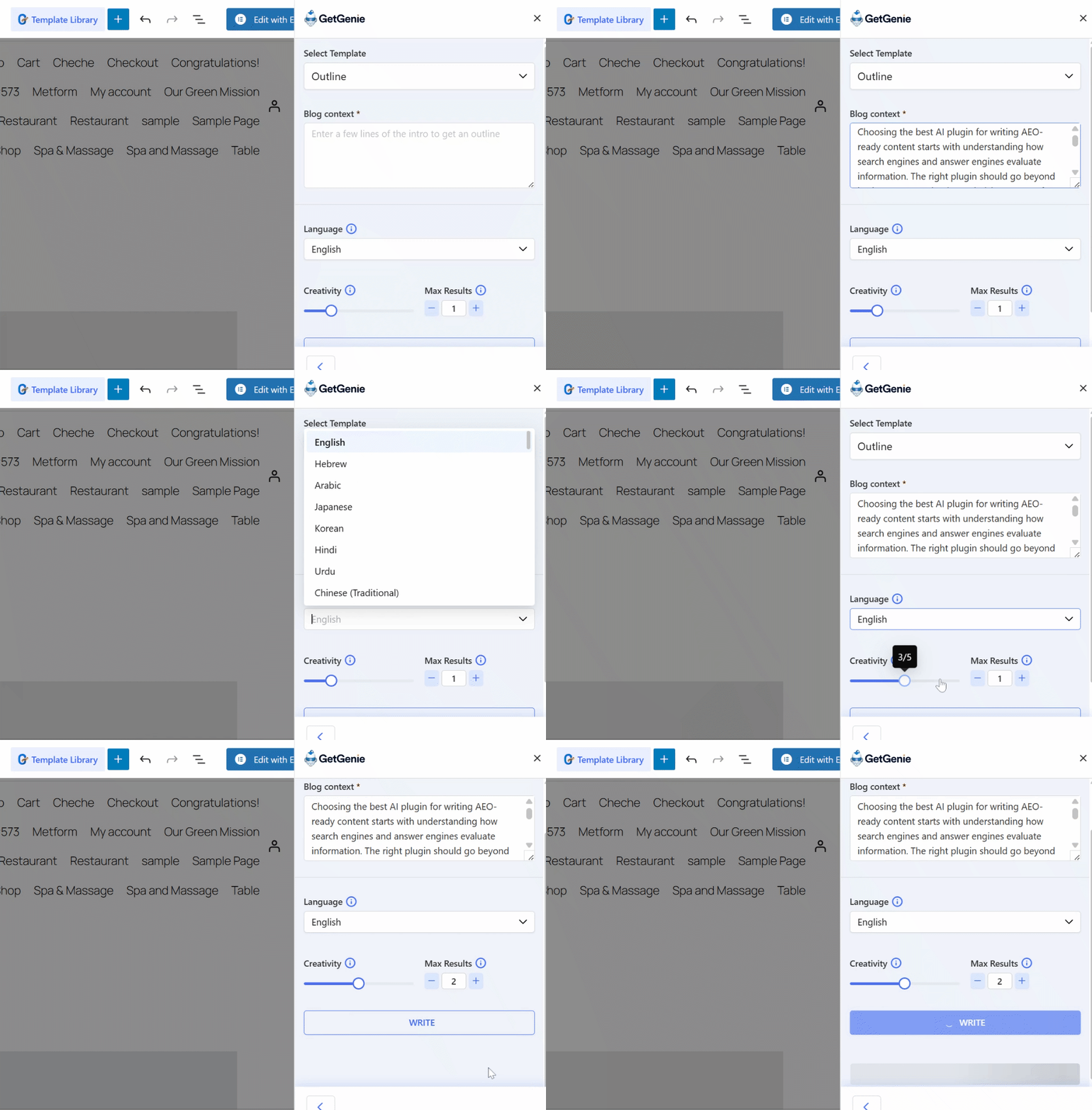
The more specific your inputs, the better the outline will be. After configuring the settings, click Scrivere and wait a few seconds for your blog post outline to be generated.
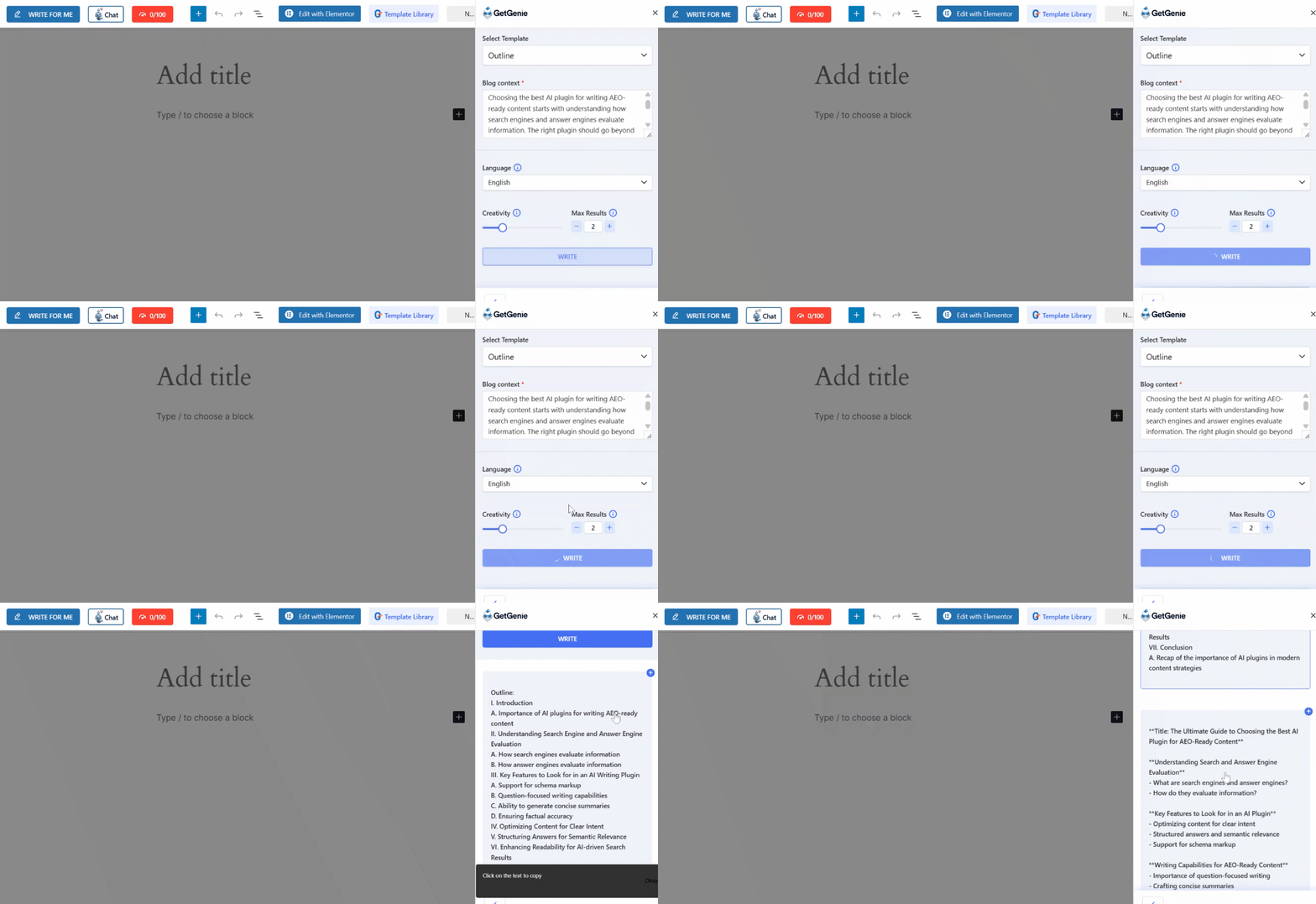
Step 4: Copy the Generated Outline
After generation:
- Insert the outline directly into your post, or
- Copy and reorganize it manually if needed.
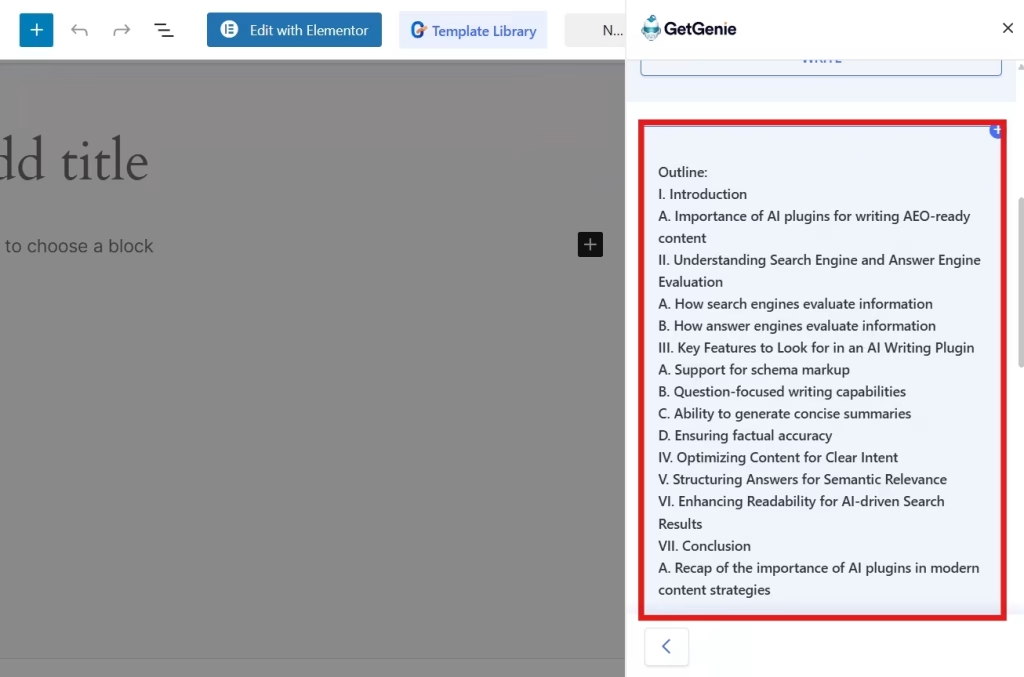
From here, you can start expanding each heading into full sections.
Domande frequenti
What Is a Blog Outline?
A blog outline is a structured list of headings and subheadings that define what your post will cover and in what order.
Why Should You Use an AI Tool for Outlines?
AI tools save time, reduce writer’s block, and ensure your content follows a logical, SEO-friendly structure, especially helpful for beginners or high-volume content creators.
Can You Customize the Generated Outline?
Absolutely. The outline is a starting point. You can edit, add, remove, or rearrange headings to better suit your audience and goals.
Do Outlines Help with SEO?
Yes. Well-structured outlines improve readability, keyword placement, and content depth, factors that search engines value.

Conclusione
This guide allows you to avoid “il blocco dello scrittore” and start writing faster. AI tools like GetGenie can build your blog outlines with just a few inputs. They allow you to benefit in three simple ways:
- You can turn a basic idea into a full structure in seconds through its template.
- The tool automatically creates logical headings that are easy for both readers and search engines (SEO) to understand.
- You get to set the level of creativity and can easily align the results with your personal style.
 Danish
  Swedish
  Polish
  Korean